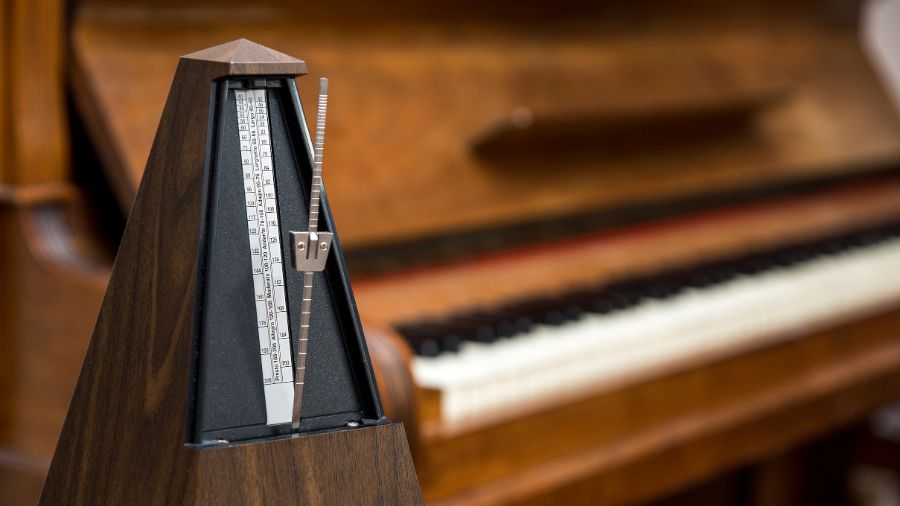
A metronome is one of the most important tools any musician can use. Whether you are practicing rudiments, learning grooves, or performing live, a steady click helps develop timing, consistency, and control. Modern metronomes are available as traditional mechanical instruments, smartphone apps and browser-based tools, giving musicians more flexibility when practising, teaching or performing.
Why a Good Metronome Matters
Using a metronome regularly improves several key musical skills. It strengthens internal timing, helps you develop consistent tempo control, and makes it easier to play with other musicians. In practice sessions, a metronome forces you to stay honest about your timing. In live situations, it ensures that songs start at the correct tempo and remain stable throughout the performance. Digital metronomes are particularly useful because they allow quick tempo changes, different time signatures, tap tempo and other features that can make practice more flexible.
Easy Tempo Control
A useful feature of a browser based metronome is how quickly you can change tempo. Our online metronome lets you set the tempo anywhere from 20 to 240 BPM, making it suitable for everything from slow practice exercises to fast technical work. This flexibility is particularly useful when practicing. If an exercise feels slightly too slow or too fast, you can quickly adjust the tempo by a few BPM without interrupting your session.
Time Signatures
Our online metronome supports several common time signatures, including 2/4, 3/4, 4/4 and 6/8. This makes it useful for practising a range of musical styles and rhythms, from simple duple and triple metres to compound time. Selecting the correct time signature also helps you hear where each bar begins and develop a stronger sense of rhythmic structure.
Customising Beat Accents
The ability to change the volume or emphasis of individual beats within a bar is useful. Our online metronome accents beat one with a darker, louder click, making it easier to hear where each bar begins and stay oriented within the rhythm. This is especially useful for timing exercises. This forces you to rely on your internal timing between clicks, making it a powerful tool for improving rhythmic accuracy.
Click Sound Options
Our online Metronome includes multiple click sounds to choose from. Some are sharper and more aggressive, while others are softer or resemble percussion sounds such as rim clicks or hi-hats. Having different sound options matters more than many musicians realise. The right click sound can make it much easier to hear the metronome clearly during practice or live performances. You can even upload your own mp3 sound files.
Tap Tempo for Finding Song Speed
The app also includes a tap tempo function. By tapping along with a song or rhythm, the app calculates the approximate BPM. This is useful when you want to match the tempo of a recording or quickly determine the speed of a song during rehearsal.
Try Our Free Online Metronome

You don't need to download an app or sign up for an account. Our free online metronome gives you instant access to accurate BPM control, tap tempo, multiple time signatures, beat accents and custom click sounds directly in your browser. Choose from four built-in sounds or upload your own MP3 to create a click that suits your practice.